
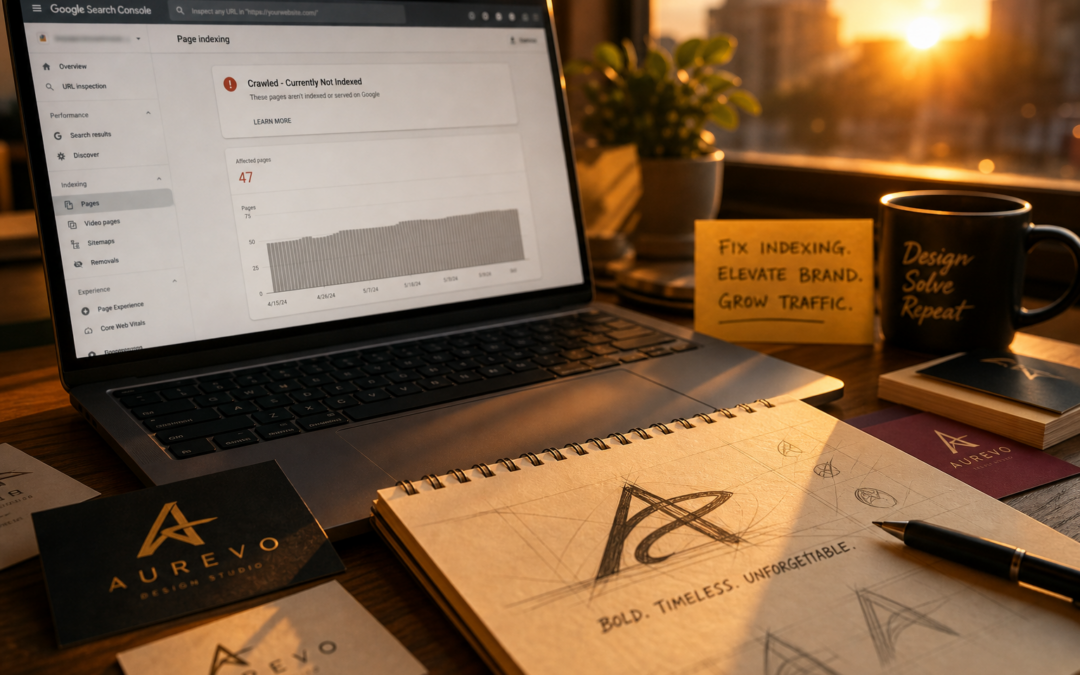
If your pages are stuck in the “Crawled-Currently Not Indexed” status in Google Search Console, Google has crawled your pages but chosen not to include them in its search index. This typically happens due to thin content, weak internal links, or technical issues—fixes require concrete improvements to content quality, site structure, and technical health, not just quick resubmissions.
Key Takeaways
- “Crawled-Currently Not Indexed” means Google crawled your page but found it lacking for search inclusion, usually due to content, structure, or technical shortcomings (Conductor Academy).
- This status sometimes resolves automatically, but persistent cases demand hands-on troubleshooting and tangible upgrades to content and internal links (SEOTesting).
- Proper diagnosis involves ruling out thin or duplicate content, fixing crawl or rendering errors, and boosting internal link equity—not just resubmitting in Search Console.
- Not all pages should be indexed—low-value, duplicate, or intentionally private pages are best left out of Google’s results.
- The I.N.D.E.X. Checklist is a practical, step-by-step method for consistently resolving stuck pages by addressing each root cause directly.
What Does “Crawled-Currently Not Indexed” Really Mean?
“Crawled-Currently Not Indexed” in Google Search Console is a red flag: Googlebot has visited your page, processed its content, and then decided not to index it. According to Conductor Academy, this status is common and may resolve on its own if Google later finds the page more valuable—but waiting passively is a risky bet for any page that matters.
Here’s what’s happening: Google has fetched your URL and assessed its content, but for one or more reasons, it didn’t meet Google’s current criteria for indexing. Unlike “Discovered—not currently indexed,” which means Google hasn’t even crawled the page, this status confirms Google saw your content and chose not to index it. This distinction is crucial: it means there’s an actionable problem to fix, not just a technical delay. For example, a real estate agency might find dozens of neighborhood pages stuck here—Googlebot crawled them, but found each too similar or thin to warrant a spot in search results.
Why Are Your Pages Stuck? The Real Causes (Not the Usual Myths)
Most site owners assume a technical glitch is to blame, but in reality, “Crawled-Currently Not Indexed” almost always points to a content or site quality issue. Ahrefs highlights the main culprits: thin or low-quality content, duplicate or near-duplicate pages, poor or absent internal links, and technical factors like slow server response or rendering failures.
For instance, imagine an e-commerce site with dozens of product pages differing only by color or size, each with copy-pasted descriptions. Google will likely skip most of these as near-duplicates. Or consider a small business blog post that’s only linked from a single archive page—Google may treat it as unimportant and leave it unindexed. The most common misconception: treating this status as a technical bug, when it’s actually a signal about content value or discoverability.
Diagnosing the Issue: How to Figure Out What’s Really Wrong
Jumping straight to technical tweaks or resubmitting URLs is a waste of time if you haven’t diagnosed the real problem. Use a systematic approach:
- Content Assessment: Is your page truly unique and valuable, or does it repeat what’s elsewhere on your site or the web?
- Internal Linking Audit: How many strong, contextual internal links point to the page? Are they from relevant, authoritative pages?
- Technical Health Check: Are there crawl issues, slow load times, or rendering failures when you view the page as Googlebot using tools like the URL Inspection Tool or Google’s Mobile-Friendly Test?
- Indexation Intent: Should this page be indexed at all, or is it a thank-you, login, duplicate, or test page better left out?
One often-missed check: Use the URL Inspection Tool in Search Console to see how Googlebot renders your page. On JavaScript-heavy sites (like those built with React or Angular), missing images or blocked scripts can mean Googlebot doesn’t see your content—even if users do. This is a critical gap for many modern sites.
The I.N.D.E.X. Checklist: A Framework for Unsticking Pages
To cut through the guesswork, apply the I.N.D.E.X. Checklist—a five-step process to address the most common root causes of “Crawled-Currently Not Indexed.” Here’s how to use it with actionable detail:
- I – Inspect Content Quality: Manually review the page. Does it provide genuinely useful information or unique perspective? For example, a location page should include original images, customer testimonials, or details about local service distinctions—copy-pasted boilerplate rarely makes the cut. Run the content through Copyscape or Siteliner to check for duplication.
- N – Nurture Internal Links: Add contextual internal links from high-authority pages (like your homepage or main service pages), not just navigation menus or footers. Use Screaming Frog to crawl your site and spot orphaned pages with zero incoming links.
- D – Diagnose Technical Barriers: Use the URL Inspection Tool to look for crawl or rendering errors. Test speed with GTmetrix or Google PageSpeed Insights. Make sure robots.txt, meta tags, and canonical tags aren’t misconfigured. For e-commerce, ensure product pages display the same content to both logged-in and guest users.
- E – Elevate Content Value: Add depth with unique research, real customer stories, high-quality images, or comparison tables. For example, instead of a generic service description, include before-and-after photos, detailed pricing scenarios, or answers to real customer FAQs.
-
X – eXclude Low-Value Pages: Use
noindextags or robots.txt to remove thin, duplicate, or utility pages from indexing. Don’t waste effort trying to force Google to index pages that add no real value.
Applying every step—not just resubmitting URLs or tweaking metadata—is what actually solves persistent indexation issues. Skipping even one leaves pages stuck in limbo.
Case Study: A Stubborn “Crawled-Currently Not Indexed” Blog Post
Take this scenario: A local sporting goods retailer creates a blog post, “Best Running Shoes for Flat Feet,” but it languishes as “Crawled-Currently Not Indexed” for weeks. The team tweaks titles and meta descriptions, resubmits in Search Console—nothing changes.
What finally worked? They rewrote the post with original photos of shoes in use, added a table comparing each product based on their own staff’s feedback, and linked to the post from their main running shoes category page. Within a few weeks, the page appeared in Google’s index and started drawing organic visits. The lesson: Google doesn’t want more of the same—it wants content with unique value and clear internal signals of importance.
For more advanced strategies and real-world examples, see the in-depth guide to solutions for Crawled-Currently Not Indexed.
Comparison Table: Content Upgrades That Help Get Indexed
| Content Enhancement | Effectiveness for Indexing | Implementation Tips | Best For |
|---|---|---|---|
| Original Imagery & Video | High | Use your own photos or demo videos; avoid stock media | E-commerce, service pages |
| Expert Commentary | Medium to High | Add insights from in-house experts or guest contributors | Blog posts, guides |
| Data Tables/Case Studies | High | Present unique data, results, or before-and-after scenarios | Service industries, reviews |
| Comprehensive FAQs | Medium | Answer real customer questions in detail | Product, service, and landing pages |
| Long-Form Content | Variable | Only effective if genuinely useful—avoid fluff | Educational or evergreen topics |
Notice the pattern: the more unique and actionable your enhancements, the more likely Google will index your page. Simply adding word count without substance almost never works.
How Long Should You Wait? Understanding Google Indexing Delays and When to Take Action
A common question: How long should you wait before taking further action? According to Conductor Academy, this status sometimes resolves on its own as Google reprocesses URLs. Still, for important pages, waiting passively is rarely the right move—especially if weeks go by with no change after you’ve made improvements.
If a new or updated page remains unindexed after concrete improvements to content and internal links, it’s time for hands-on troubleshooting. For example, don’t waste resources fighting for every minor product variant—focus on high-value, unique pages instead. Review your analytics to prioritize which pages are worth the effort.
For topics that are especially competitive or closely resemble existing indexed content, consolidating pages or focusing on a truly unique angle is often smarter than trying to force every page into Google’s index.
Technical SEO Troubleshooting Checklist: What to Check (and What Most Miss)
Technical issues are often overlooked or misdiagnosed. While slow server speeds and crawl blocks matter, the most common technical barrier is poor rendering—when Googlebot can’t see the real content due to JavaScript reliance, oversized images, or blocked scripts. Ahrefs confirms that slow response times and rendering failures are significant causes of this status.
- Run the affected page through Search Console’s URL Inspection tool; watch for crawl errors, blocked resources, or “resources couldn’t be loaded” warnings.
- Check mobile usability with Google’s Mobile-Friendly Test—Google indexes mobile-first, so mobile issues can block indexing.
- Test speed using GTmetrix or PageSpeed Insights. Long load times, especially on shared hosting, can cause Google to deprioritize your page.
- Review robots.txt and meta tags for accidental
noindexblocks. - Double-check canonical tags—misconfiguration can tell Google to ignore your page in favor of another.
If your site uses dynamic plugins or e-commerce extensions, compare page output for logged-in versus guest users. Sometimes caching or personalization hides content from Googlebot, especially on platforms like Shopify or WooCommerce. Use tools like Rendertron or Google’s Rich Results Test to preview what Google sees.
How Content Quality and Internal Linking Drive Indexing (And Where Most Get It Wrong)
Content quality and internal linking are the two engines of successful indexing—but most businesses only address one. SEOTesting notes that both are essential for resolving “Crawled-Currently Not Indexed” issues. The mistake: padding page length or dumping in a few links without strategic placement.
For best results, add internal links from relevant, high-traffic pages with descriptive anchor text that signals the destination’s topic. For example, if you’re trying to get a cosmetic clinic’s “Botox FAQs” page indexed, link to it from your main service pages and add real patient stories or original before-and-after images—don’t just repeat manufacturer info. To learn more about building a strong, consistent digital presence, see the guide to brand identity strategies for service businesses or explore how AI content creation affects indexing in Google’s latest updates.
When NOT to Fix: Pages That Should Stay Out of the Index
Don’t chase every “Crawled-Currently Not Indexed” warning—some pages are best kept out. This includes admin dashboards, thin thank-you pages, duplicate product variants, and test environments. Indexing them dilutes your site’s authority and can confuse Google about which pages matter.
A frequent error: trying to force low-value or intentionally hidden pages into the index. Proactively use noindex tags or robots.txt to control which URLs are indexable. Unsure if a page is worth it? Ask yourself if you’d want it ranking for your brand or target keywords—if not, exclusion is usually best.
When building new sites, start with only high-value, unique pages set for indexing. For hands-on advice on site architecture and index management, see website development and management best practices.
AI, Content Automation, and the Indexation Challenge
AI-powered content tools make it easy to generate hundreds of pages quickly—but this often leads to thin or near-duplicate content, which Google’s algorithms are quick to filter out as “Crawled-Currently Not Indexed.” Automated content should be just a draft; real value comes from adding original research, unique media, or expert commentary.
To avoid indexation headaches, combine automation with hands-on improvements. Run automated drafts through plagiarism tools, add real examples and insights, and make sure each page is linked from important site sections. For deeper strategies, see AI content creation strategies and tips on blending automation with human input for better results.
AI-driven internal linking and content audits can also help catch thin, unlinked pages before they become indexing liabilities. Remember: speed is tempting, but quality is what gets you into Google’s index—and keeps you there.
Summary: The Path from “Crawled-Currently Not Indexed” to Full Visibility
“Crawled-Currently Not Indexed” isn’t a technical glitch—it’s Google’s way of telling you a page needs clearer value, stronger internal links, or technical cleanup. The key is a methodical approach like the I.N.D.E.X. Checklist: address content, links, and technical health together, not in isolation.
Not every page deserves to be indexed—sometimes pruning or consolidating is the smartest move. For critical pages, invest in genuine content upgrades, strategic internal linking, and regular technical audits. If you need outside help, agencies like Lion Click Media with experience in AI and SEO troubleshooting can assist—but the real breakthroughs come from fixing the fundamentals outlined above.
Frequently Asked Questions
What does "Crawled-Currently Not Indexed" mean in Google Search Console?
"Crawled-Currently Not Indexed" means Googlebot has visited your page but decided not to add it to the search index yet, often due to quality or technical reasons.
How long does it usually take for pages stuck in this status to get indexed?
The time varies widely; some pages move into the index within days after fixes, while others can remain unindexed for weeks or longer if issues persist.
Can I force Google to index pages that are stuck in Crawled-Currently Not Indexed?
You can request re-indexing via Google Search Console’s URL Inspection tool, but it’s essential to fix underlying content or technical problems first for lasting results.
Does having a strong logo and business card design affect Google indexing?
While branding elements don’t directly influence indexing, they build user trust and engagement, which are indirect SEO signals that can support better crawl and index rates.
Are there cases where I should not try to get certain pages indexed?
Yes; pages with duplicate content, sensitive info, or low value (like terms of service or login pages) often should remain unindexed to protect SEO health.
How can internal linking improve page indexing?
Strong internal links help Google discover and prioritize pages by signaling their importance within your site’s structure, increasing the chances of indexing.
What tools help diagnose Crawled-Currently Not Indexed issues effectively?
Google Search Console, Screaming Frog, Sitebulb, and server log analyzers are key tools to identify content, technical, and crawl budget issues causing indexing delays.
Get Your Free AI Marketing Audit
See exactly where you are leaving leads on the table and how Lion Click Media can help you rank higher, capture more customers, and Make Your Brand ROAR. No cost, no obligation.
Claim My Free Audit →Or chat with our 24/7 AI assistant (bottom-right) for instant answers.