
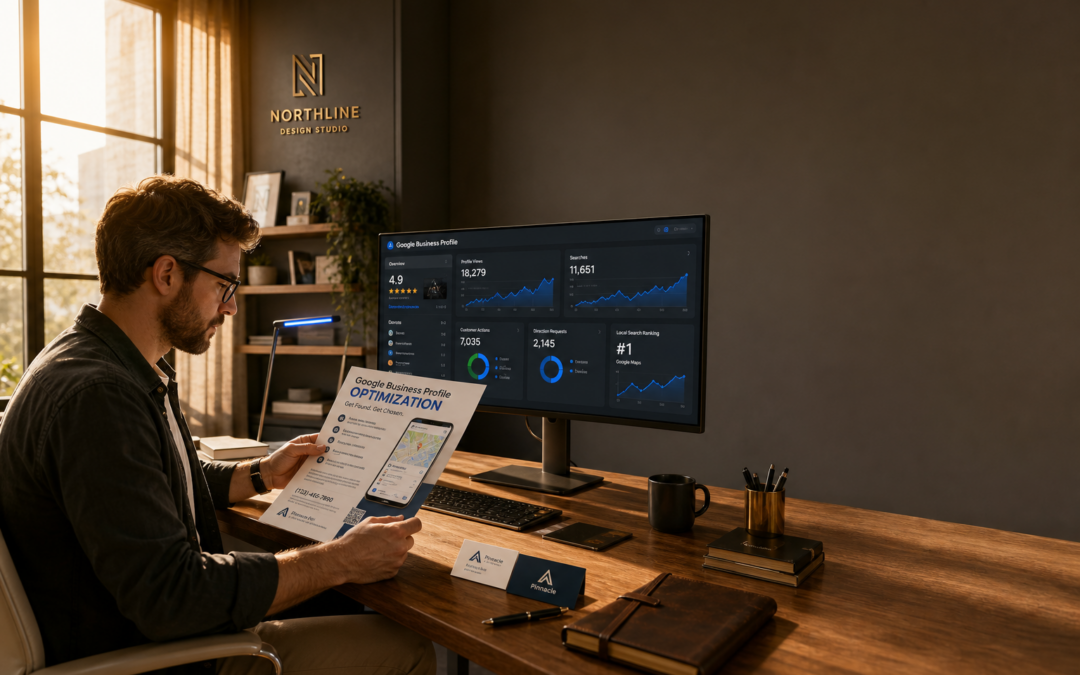
Google Business Profile optimization means actively managing and improving your business’s presence on Google—from Maps to local search results—by regularly updating information, photos, posts, and features to increase your visibility and trustworthiness with local customers. Unlike a basic setup, true optimization is an ongoing process that aligns your online profile with what real-world customers want to see, while staying compliant with Google’s own published guidelines (Google Business Profile Help). Whether you’re a single-location shop or operate across multiple states, consistently refining your profile is essential for standing out and converting online searches into real customers.
Key Takeaways
- Google Business Profile optimization is ongoing—requiring routine updates, active customer interaction, and use of all available features (not just the basics) per Google’s official documentation.
- Many businesses overlook features that directly impact engagement and rankings: Google Posts, Q&A, updated photos, and detailed service menus.
- Consistency and accuracy of your information across Google, social media, and directories are essential for both ranking and customer trust (BrightLocal NAP Consistency Guide).
- DIY optimization can work for some, but multi-location, regulated, or highly competitive businesses often need advanced tools, clear workflows, or expert help.
- There is no universal playbook—your approach should match your region, industry, and business model. For more tailored strategies, see common Google Business Profile optimization mistakes and how to fix them.
Why Most Owners Underestimate Google Business Profile Optimization
Many small business owners view Google Business Profile (GBP) as a one-time setup—just add hours, upload a logo, and move on. But this “set-and-forget” mindset quietly gives an edge to competitors who treat their profile as an active marketing channel. For example, a local dentist who updates their profile monthly, answers every review, and posts before-and-after photos is much more likely to show up in local search results than a rival who only set up their listing and let it sit.
A key point often missed: Google’s local results are dynamic, influenced by profile activity and completeness (Google Business Profile Help). Your business can drop out of the “local pack” (the top three map results) if your info is outdated, reviews go unanswered, or photos look years old. Consider two HVAC companies in Phoenix—one with sparse details and ignored Q&A, the other with fresh photos and prompt replies. The more active profile is likely to rank higher and attract more customers.
Profile optimization is about building credibility as much as visibility. Inconsistent hours, missing services, or mismatched branding immediately signal neglect to prospective customers. Shoppers who do their homework will quickly move on if they sense your business isn’t keeping up.
What Real Google Business Profile Optimization Looks Like in Practice
Serious optimization goes beyond a checklist—it’s a repeatable system. Below are actionable steps you can take, with tools and references for a hands-on approach:
- Consistent NAP (Name, Address, Phone): Ensure your business name, address, and phone match exactly across your Google profile, website, Facebook, Yelp, and directories. Even small differences (“St.” vs. “Street”) can harm local rankings (BrightLocal). Use tools like Moz Local or Yext for regular audits.
- Professional, Brand-Aligned Visuals: Go beyond a logo—add staff photos, product shots, and a clear exterior image. For example, a Chicago law firm could post new headshots and office photos for a trustworthy, unified brand. For guidance, see this guide on custom logo and brand design.
- Precise Categories and Services: Choose specific categories (“Vegan Restaurant,” “Brunch Restaurant”) and list signature offerings. Many businesses miss out by being too general or skipping service details (Ahrefs Local SEO Guide).
- Google Posts and Ongoing Updates: Share updates like weekly specials or event recaps to keep your profile current and signal activity to Google (Search Engine Land: Google Posts Guide).
- Review Management: Respond to every review promptly, positive or negative. Address complaints directly and invite customers to resolve issues offline—this not only builds trust, but is recommended by Google (Google: Reply to Reviews).
- Use Advanced Features: Monitor and answer Q&A, enable messaging if you can respond quickly, and use appointment links if you offer bookings. Many businesses ignore these tools, but they can set you apart (Search Engine Journal: Top Features).
In short: treat your Google Business Profile like a regularly updated online storefront, not a static business card.
Where Most Businesses Go Wrong (and How to Avoid the Costliest Mistakes)
The most common pitfall is neglect—assuming your profile is “done” after setup. Yet Google frequently introduces new features and changes its ranking signals (Google Business Profile API Overview). For instance, many U.S. law firms still ignore the Q&A section, not realizing that anyone—including competitors—can ask and answer questions, sometimes with outdated or misleading info.
Inconsistency is another recurring issue. If your Facebook page lists a different phone number than your Google profile, or your website hours don’t match your GBP, both Google and customers notice. These mismatches quietly harm both visibility and credibility (BrightLocal).
For a deeper look at avoidable mistakes—like keyword stuffing, photo neglect, or ignoring new Google features—see bad Google Business Profile optimization advice to avoid. For industry-specific pitfalls, such as in roofing, check out how roofing companies often get it wrong and how to fix it.
Scenario: Multi-Location Optimization for a U.S. Retail Chain
Consider a regional pet supply retailer with ten stores across the U.S. Each location has unique hours and events, but the brand wants unified listings. Here’s an actionable workflow:
- Centralized Brand Assets: Marketing manages a shared folder with approved logos, banners, and team photos for consistency.
- Location-Specific Data: Each store lists its own hours and events, but descriptions highlight local strengths (e.g., “Largest selection of grain-free dog food in Denver”).
- Review Response Playbook: Managers use company-approved templates for review replies, ensuring prompt and consistent messaging.
- Content Calendar: Each location gets monthly reminders to post new photos, promote events, or update hours, using Google Posts for visibility.
The lesson: without a documented workflow, multi-location listings can drift out of sync—hurting rankings and customer trust. For more on managing complex listings, see Search Engine Land: Multi-Location GBP Tips.
Setup vs. Optimization: Why Most Profiles Are Only Halfway There
It’s easy to assume that just “being on Google” is enough. But there’s a big difference between basic setup and real optimization. Claiming your profile and adding contact info gets you started—but rarely into the top three local results.
For example, a Dallas bakery with only a logo and outdated hours is likely to lose out to a competitor who posts about daily specials, adds new customer photos, and updates their menu regularly. Routine neglect signals to both Google and real people that your business isn’t keeping up (Ahrefs Local SEO Guide).
| Aspect | Basic Profile Setup | Ongoing Optimization | Full-Service Management |
|---|---|---|---|
| Business Info | Entered once, rarely updated | Reviewed and corrected regularly | Proactively synced across platforms |
| Photos & Videos | Single logo or storefront image | Monthly photo/video refresh | Professional brand-aligned media |
| Posts & Offers | None or one-off announcement | Seasonal/event-driven posts | Strategic content calendar |
| Reviews | Respond if notified | Actively encourage/monitor | Integrated reputation strategy |
| Advanced Features | Left blank or ignored | Enabled and maintained | Used to drive conversions |
For a realistic comparison of doing it yourself versus hiring outside help, see the full breakdown of DIY vs. professional optimization.
The S.T.A.R.T. Framework: A Practical Workflow for Ongoing Optimization
S.T.A.R.T. is a five-step method used by successful local businesses to keep their Google Business Profiles effective. Here’s a detailed checklist for each step, plus recommended tools:
-
Standardize Core Information
- Audit your business name, address, phone number, website, hours, and categories against your website and major directories.
- Use a spreadsheet or a tool like BrightLocal or Moz Local to identify inconsistencies.
- Schedule a quarterly review—set a calendar alert or assign responsibility to a team member.
- Remember, even a mismatched suite number can affect trust and ranking (BrightLocal).
-
Tell Your Brand Story Visually
- Replace old or low-quality images with professional team photos, clear product shots, and photos of your storefront.
- For service businesses, add video tours or staff introductions to personalize your brand.
- Update visuals seasonally or after renovations (e.g., a salon posting photos after a remodel).
- For branding tips, see modern logo and brand design trends.
-
Actively Engage Customers
- Respond to every review within 24–48 hours, using templates for common scenarios if helpful.
- Post weekly updates, offers, or news via Google Posts.
- Enable messaging or bookings if you can respond quickly, and check the Q&A at least once a week.
- For advanced review tactics, compare approaches in DIY vs. professional review management.
-
Review and Refresh Content
- Set a monthly reminder to update photos and ensure holiday hours are correct.
- Revise service descriptions as your offerings change—e.g., a landscaper updating spring packages.
- Use the Google Business Profile dashboard for direct edits and content uploads.
-
Track Results and Adapt
- Monitor searches, calls, and website clicks using Google’s Insights dashboard (Google Insights Help).
- Track before-and-after results of major updates.
- For deeper analytics, consider platforms like Yext or AI-powered analytics tools for granular insights.
- Adjust your strategy as you see what works—optimization is only effective if you measure what matters.
Assign clear responsibility for each step—whether to a store manager, marketing director, or outside consultant. Documenting your process and scheduling regular check-ins helps prevent neglect.
How Google Business Profile Optimization Directly Affects Local SEO
Local search visibility is tightly linked to Google Business Profile optimization. Google’s local algorithm considers profile completeness, accuracy, and activity level when deciding which businesses appear in the “map pack” and top local results (Google Business Profile API Overview).
For instance, if a Dallas-based HVAC contractor regularly adds project photos, updates service area keywords, and replies to every customer review, they’re much more likely to show up for searches like “AC repair near me” than a competitor with an incomplete or outdated profile (Ahrefs Local SEO Guide).
But profile optimization doesn’t stand alone. Consistency across your website, directory citations, and social media is equally important (BrightLocal). For a deeper look at local SEO’s real-world impact—including for financial services—see whether local SEO is worth it for financial advisors.
DIY vs. Professional Optimization: Which Approach Fits Your Business?
Single-location businesses with straightforward services can often manage their profiles in-house, especially if they’re detail-oriented and have time. But as soon as you add multiple locations, operate in regulated industries, or compete in crowded markets, the complexity quickly grows.
DIY optimization is possible if you commit to regular audits, stay on top of new Google features, and document your processes. The main risks: letting your profile go stale during busy seasons, missing new features, or overlooking subtle errors. Professional help—via a consultant or agency—brings structure, experience, and advanced tools, but comes with additional costs. Many businesses find a hybrid approach works best: handling routine updates internally, but bringing in outside expertise for audits, branding, or complex fixes. For more scenarios and pros/cons, see the full comparison of DIY and professional optimization.
Brand Identity and Visuals: The Overlooked Edge in 2026
Local SEO isn’t just about keywords and links—your business visuals have a major impact. A clear, professional logo and consistent color scheme signal credibility to shoppers comparing options. If your Google profile’s logo is blurry or your photos are dim and outdated, you might lose potential customers before they even call.
For example, a Manhattan-based financial advisory firm upgraded their logo and headshots, then refreshed their Google profile. When prospects compared them to others in search results, the difference in trustworthiness was immediately noticeable. Visual cues like these can quietly drive better conversion rates from the same number of profile visitors.
If you’re considering a rebrand or want to understand the costs and benefits of a modern identity, see this breakdown of brand identity and logo design costs in 2026.
Tools and Services That Actually Help With Google Business Profile Optimization
Not every tool is worth your time or budget. Here are the options that matter for most U.S. businesses, with references to independent reviews and guides:
- Google’s Dashboard: The default management tool. Suitable for single locations, but lacks bulk editing and detailed analytics for larger chains (Google Business Profile Dashboard Help).
- Listing Management Platforms: Services like Yext, Moz Local, and BrightLocal audit, sync, and update your info across many directories—critical for franchises or businesses with multiple U.S. locations (Search Engine Journal: Top Local SEO Tools).
- Reputation Management Software: Platforms like BirdEye or Podium automate review requests, monitor feedback, and streamline responses (G2: Reputation Management Software).
- AI Tools: New solutions can suggest post ideas, flag incomplete sections, or analyze customer sentiment. Always review AI-generated content for accuracy and tone (AI content creation and AI social media management tools).
- Expert Services: For hands-off management or complex needs, local SEO agencies and independent consultants can help—but check for proven experience in your industry. (For a real-world perspective, see website management and e-commerce services integration strategies.)
Integrating your Google Business Profile work with your broader digital marketing—like website and e-commerce management—usually yields stronger results than treating it as a separate project.
Final Thoughts: What Actually Drives Results With Google Business Profile Optimization?
The businesses that excel with Google Business Profile optimization don’t treat it as a one-time job or a chore. They see it as a dynamic presence that requires regular attention and care. By combining accurate information, strong visuals, and active customer engagement—and by adapting quickly to new Google features—they steadily build trust and visibility.
Whether you’re a single-location bakery or a multi-state retailer, the fundamentals are the same: keep your business details current, visuals sharp, and customer responses prompt. When complexity grows or you need an expert audit, it’s wise to bring in help that knows the U.S. local landscape—but always stay hands-on with your reputation. The businesses that commit to continuous improvement are the ones that consistently rise to the top—earning trust from both Google and local customers.
Frequently Asked Questions
How long does it take to see results from Google Business Profile optimization?
Results typically start showing within a few weeks but can take several months for full local search impact depending on competition and update frequency.
Can I optimize my Google Business Profile if I operate in multiple U.S. states?
Yes, managing separate profiles for each location with tailored info and local visuals is essential to maximize exposure across different regions.
Is it necessary to hire a designer for my logo and business cards?
While not mandatory, professional design significantly boosts brand credibility and customer trust, making it a worthwhile investment for most businesses.
What should I do if someone leaves a negative review on my profile?
Respond promptly and professionally, addressing concerns and offering solutions to demonstrate commitment to customer satisfaction.
Does adding posts to my Google Business Profile really help with SEO?
Yes, regular posts signal activity to Google and provide fresh content that can improve your profile’s relevance and ranking.
How do I choose the right business categories for my profile?
Select the most specific categories that accurately describe your services; avoid generic options to improve targeted visibility.
Can I link my Google Business Profile with other marketing channels?
Absolutely. Integrating with your website, social media, and email campaigns creates a cohesive brand experience and amplifies reach.
Get Your Free AI Marketing Audit
See exactly where you are leaving leads on the table and how Lion Click Media can help you rank higher, capture more customers, and Make Your Brand ROAR. No cost, no obligation.
Claim My Free Audit →Or chat with our 24/7 AI assistant (bottom-right) for instant answers.