
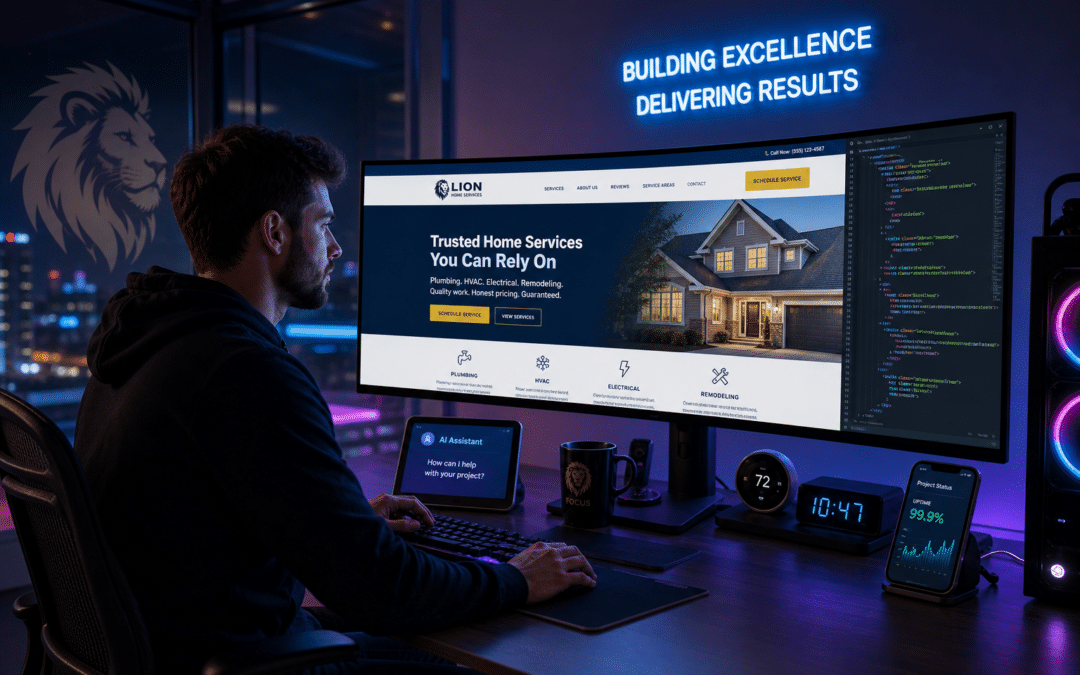
Conversion-focused web design for home services isn’t about chasing trends or obsessing over aesthetics. It’s about engineering a site that removes every obstacle between a visitor and a real lead—by earning trust, making contact frictionless, and relentlessly optimizing for what actually drives action. In 2026, the home service businesses pulling ahead will be those who treat their site not as a digital brochure, but as a living sales engine: fast, unmistakably credible, and ruthlessly clear about what to do next. The real difference comes from granular attention to what matters in this industry—local trust, instant response, and a relentless focus on reducing friction at every step.
Key Takeaways
- Every design, copy, and technical decision must be judged by its direct impact on conversions—visual polish is worthless if it doesn’t drive qualified leads.
- Rapid lead response, prominent trust signals, and Core Web Vitals optimization are now baseline requirements for competitive home service websites.
- AI-powered development can unlock real-time personalization and automation, but only delivers results when grounded in actual buyer psychology and local context.
- Structured data (schema markup) and conversion-oriented landing pages are essential for both search visibility and persuading searchers to take action.
- There’s no universal template—the most effective approach is a framework-driven balance of budget, speed, and customization tied to your business’s growth stage.
What Actually Drives Conversions on Home Services Websites in 2026?
Many home service businesses assume that a slick design or bold logo is what convinces a visitor to call or fill out a form. In practice, high-converting web design for this sector is defined by immediate trust cues, clear service and coverage information, and as little friction as possible in the lead capture process.
Industry research shows that the average conversion rate for home service websites falls between 2% and 5%, with well-optimized sites reaching the high end of that range according to Acute SEO AI. Standout landing pages in the industry can convert at 15% or higher, more than double the typical median of about 6% (BG Collective). What separates these top performers isn’t luck; it’s a relentless focus on elements that overcome customer hesitation: displaying real reviews, making contact information impossible to miss, covering service areas up front, and using transparent pricing explanations.
Consider a real scenario: a local HVAC company in Phoenix overhauls its website to showcase a large block of customer reviews at the top, lists every neighborhood it serves in a bold sidebar, and installs a click-to-call button that’s visible without scrolling. After launching these changes, the owner might notice the phone ringing more consistently and form fills arriving from new zip codes they hadn’t reached before. The lesson? A specific, trust-centered site structure impacts lead flow far more than any visual flourish.
Why “Pretty” Doesn’t Equal “Conversion-Focused”
It’s tempting to equate “good design” with visual flourish—stunning hero images, slick animations, and elaborate branding. But attractive design that ignores conversion fundamentals often underperforms. A polished aesthetic might impress you, but it doesn’t guarantee a single additional booking if visitors can’t instantly see what you offer or how to reach you.
Some of the highest-converting home service sites are surprisingly simple: bold headlines stating exactly what they do (“24/7 Emergency Plumbing in Denver—Same Day Service”), trust badges near the top, real customer reviews, and a persistent call-to-action button. In one example, a pest control company in Dallas stripped its homepage to just a few elements—a trust badge, a phone number in the corner, and a form labeled “Book a Free Inspection.” The result? No confusion, no distraction, just a direct path to contact.
For a breakdown of how design choices can directly impact business outcomes, see How Home Services Use Conversion-Focused Design to Win, which analyzes real-world examples of what actually moves the needle.
How Fast Lead Response Multiplies Your Conversion Rate
Speed isn’t just a customer service virtue—it’s a conversion multiplier. Sites that respond to leads within five minutes convert them at four to eight times the rate of those who wait until the next business day (Whatech).
Many businesses pour effort into ads and SEO, but then funnel hard-won clicks into static forms or generic inboxes, with no guarantee of prompt follow-up. The most competitive sites in 2026 will embed AI-powered live chat, instant SMS callbacks, or at minimum, real-time lead routing that alerts the right staff instantly. Can’t staff a 24/7 desk? AI tools can bridge that gap—see practical approaches in AI Live Chat & Lead Intake Assistant.
Imagine a scenario where a plumbing company’s site uses CallRail to instantly route every form fill and call to the owner’s phone, while also triggering an automated, personalized SMS to the prospect. With this setup, the owner never misses a hot lead—even late at night or on weekends. The combination of real-time tech and human follow-up typically results in more jobs won against less responsive competitors. Speed, powered by the right tools, is the quiet advantage that often separates the market leaders from the rest.
Framework: The S.I.T.E. Method for Conversion-Focused Home Services Sites
Generic web design advice doesn’t cut it in home services, where trust and urgency rule. The S.I.T.E. Method offers a practical, actionable structure:
- S — Signal Trust Instantly
- I — Immediate Action Paths
- T — Technical Excellence
- E — Evidence-Driven Iteration
- Signal Trust Instantly: Don’t just rely on badges or a rotating testimonial slider. Place your local phone number at the top of every page. Display licensing, insurance, and awards with recognizable logos (not just text). Use a widget like Grade.us or embed Google review feeds so visitors see real, recent ratings. If you serve a specific area, mention it in your headline (“Serving Irvine & Newport Beach”) and show real photos of your team—not stock images. In one case, adding a “Meet Your Team” block with real technician bios led to more direct booking calls for a plumbing shop.
- Immediate Action Paths: Every page should funnel visitors to one clear action. Use sticky “Call Now” bars, booking widgets that appear within two seconds, or pre-filled forms that only require a phone number and preferred contact method. For mobile, test your call buttons with tools like Google’s Mobile-Friendly Test to ensure they’re easily tap-able. Rapid A/B testing of page layouts and calls to action is simplified with platforms like Unbounce or Instapage—don’t just guess, test real variations to see which gets more contacts.
- Technical Excellence: Website speed and mobile experience drive conversions. Prioritize Google’s Core Web Vitals—especially Largest Contentful Paint (LCP), Cumulative Layout Shift (CLS), and First Input Delay (FID). Regularly audit your site with Google PageSpeed Insights to spot slowdowns or layout shifts. Compress images into WebP format, minify CSS/JS, and use hosting that delivers fast server response. Implement schema markup for your services, reviews, and service areas to help Google display rich results. Schedule a monthly technical health check, not just an annual review, to keep performance from slipping.
- Evidence-Driven Iteration: Set up end-to-end conversion tracking: Google Analytics for web forms, Facebook Pixel for ad attribution, and call tracking tools like CallRail for phone leads. Dig into which forms, pages, or CTAs actually drive leads—and which are ignored. Use AI-based analytics tools like Microsoft Clarity or Hotjar to watch anonymized user sessions and identify friction points (for example, visitors abandoning a form on the last step). Top performers are relentless about testing: swap headline language, try single-step vs. multi-step forms, and track changes in real business metrics—not just vanity stats.
Businesses that apply the S.I.T.E. Method in detail—experimenting with real review widgets, rapid A/B testing on Unbounce, and frequent Core Web Vitals audits—often notice their cost per lead trending down as the site does more of the sales work automatically. The key is not just to follow a list, but to actively test and refine each element, using real data from your own analytics and tracking tools.
What Role Does AI-Powered Website Development Play?
AI-powered website development is shaking up the field, but not for the reasons most agencies pitch. The real advantage isn’t just speed or cost—it’s the power to personalize content, forms, and offers in real time, based on user behavior and location.
Picture this: your website detects a mobile visitor from a certain zip code late at night and immediately displays an “Emergency Service” CTA, pre-fills their city in your contact form, and queues up a local testimonial relevant to their neighborhood. AI can generate city-specific landing pages, update service area coverage automatically, or trigger a live chat if a user hovers over your pricing FAQ. Using an AI content platform, you can build out dozens of tailored landing pages in a fraction of the time it used to take—each one laser-focused on a precise city or service type.
But there’s a risk: adding AI widgets or chatbots without a clear strategy can backfire, creating robotic or confusing user experiences. The businesses that win are those who use AI to supplement—not replace—genuine local branding and messaging. For a nuanced comparison of in-house versus agency approaches to AI, see AI E-Commerce Marketing for Home Services: In-House vs Agency.
Scenario: Building a Conversion-Optimized Landing Page for a Local Electrician
Let’s get specific. You’re an electrician serving a metro area and want to maximize form fills from Google Ads. According to BG Collective, standout landing pages in the home services space can convert at 15% or more, which is more than double the typical median.
What sets the top performers apart? They lead with a benefit-focused headline (“Certified Electricians, 24/7 Emergency Service—Book in 60 Seconds”), repeat their phone number and booking form above the fold, showcase multiple recent customer reviews, display proof of insurance and licensing, and feature a clear service area map. There’s zero ambiguity about what to do next.
Distractions are minimized: no outbound links, no menu clutter, and only one primary action per device type. AI tools can pre-fill form fields or trigger a live chat when a visitor pauses on the page. With Unbounce or Instapage, you can rapidly test which versions of your landing page drive more contacts. For a hands-on guide to landing page optimization, see How Home Services Use Conversion-Focused Design to Win.
Comparison: Website Platform Options for Home Services in 2026
| Platform | Speed to Launch | Customization | Conversion Features | Best Use Case | Trade-Offs |
|---|---|---|---|---|---|
| Wix/Squarespace | Very Fast | Low–Medium | Basic forms, pop-ups, limited schema | Solo operators, new businesses | Limited control; scaling complexity |
| WordPress + Premium Builder | Moderate | High | Advanced forms, plugins for schema, chat, A/B testing | Established SMBs, rapid iteration | Requires ongoing management, plugin bloat risk |
| Custom AI-Enhanced Build | Variable | Very High | AI personalization, instant lead routing, custom analytics | Multi-location, high-growth firms | Higher upfront investment, developer dependency |
| Industry-Specific SaaS (e.g., Housecall Pro, Jobber) | Fast | Medium | Integrated booking, payments, CRM | Firms needing end-to-end workflow | Design limitations, monthly costs |
Your platform choice should reflect your growth stage, technical comfort, and priorities. Are you seeking maximum design flexibility, the fastest possible launch, or a hands-off system that handles booking and payments automatically? Many home service businesses find WordPress with a premium builder hits the sweet spot between conversion features and manageable upkeep, while AI-enhanced solutions become practical as lead volume and operational complexity increase. If you’re not sure where to start, website development and management guides can walk you through the pros and cons of each option.
Core Web Vitals and Schema Markup: The Overlooked Pillars of Lead Conversion Optimization
Speed and site structure aren’t optional—they’re conversion levers most home service websites still neglect. Google’s Core Web Vitals (LCP, CLS, FID) are now ranking and UX signals: sites that load slowly or shift as they render frustrate both search engines and real users. Even if your site “looks fine,” poor web vitals can quietly cost you leads, especially on mobile.
A large share of local businesses still skip schema markup entirely—structured data for services, service areas, reviews, and FAQs gives Google more context about your business and can unlock enhanced search results, such as review stars or “Book Now” buttons. The difference can be real: a pest control site that adds schema markup for reviews and service areas often finds its listings stand out visually in search, leading to more clicks and, over time, more inquiries.
For a step-by-step walkthrough on applying schema and technical health checks to a service business site, check out the website development and management service guide.
Practical Checklist: Essential Lead Conversion Elements for Home Services Websites
- Real-Time Contact Options: Click-to-call, live chat, and SMS—every second of delay costs you leads. Use tools like CallRail to route and track every interaction so no inquiry is missed.
- Social Proof: Prominent, verifiable customer reviews and trust badges above the fold. Embed real Google or Yelp reviews using a widget.
- Service Area Clarity: List cities/neighborhoods served—don’t make visitors guess. A service area map or bold city list in the sidebar works well.
- Simple Forms: Ask for only the minimum info needed to qualify and respond quickly. Pre-fill city or service type when possible for returning visitors.
- Emergency/After-Hours Messaging: Stand out with clear after-hours contact options if you offer them. For example, a banner that says “24/7 Emergency Service Available—Call Now.”
- Fast Load Speed: Optimize images (WebP), use modern hosting, compress code—especially for mobile users. Run regular checks with Google PageSpeed Insights.
- Schema Markup: Implement for services, reviews, FAQs, and locations. Use plugins or tools designed for WordPress or your chosen platform.
- Clear Next Steps: Every page should tell the visitor exactly what to do next, with visible buttons or forms—“Call Now,” “Book an Inspection,” or “Request a Quote.”
- Track & Test: Set up analytics (Google Analytics, Facebook Pixel), call tracking (e.g., CallRail), and regularly split-test top pages using tools like Unbounce or Instapage to see what actually works.
To make these recommendations real, consider this: a garage door company in San Diego followed this checklist, implementing real-time SMS alerts, adding a review widget, and running monthly landing page experiments with Instapage. Over the next quarter, they noticed both the number and quality of leads improve—calls came in from new zip codes, and the team could respond to emergencies almost instantly. It’s not theory: practical execution of these steps leads to a measurable difference in lead flow for real businesses.
How Should Local Service Businesses Balance Budget, Customization, and Conversion?
There’s no universal answer to “how much should I spend?” or “do I really need custom features?” for conversion-focused web design in home services. Many local businesses budget somewhere in the low-to-mid four figures per month for web development, paid ads, and lead tracking, though it varies widely by market and ambition.
Here’s the real trade-off: budget platforms like Wix or Squarespace get you online fast, but usually lack the advanced conversion tools, schema control, and technical flexibility needed for long-term growth or local SEO wins. Custom builds—especially those integrating AI-powered personalization and instant lead routing—require more upfront investment and ongoing management, but can achieve higher conversion rates and lower cost per lead in competitive markets. For context, the average cost per lead for home services through Google Ads is $90.92, with a conversion rate of 7.33% (Dasher).
Prioritize investments that directly impact conversion: fast response systems (call routing, instant SMS), visible trust elements (badges, reviews, real team photos), and technical performance (page speed, mobile optimization, schema markup). Branding upgrades and cosmetic flourishes can come later. For a deeper dive on how design decisions affect credibility and conversion, see Brand Identity & Logo Design Costs in 2026 and 7 Logo Design Mistakes Costing Cosmetic Clinics Leads.
Final Scenario: Avoiding the Most Common Conversion Killers
Let’s look at a real-world pitfall: a home service business invests in a beautiful WordPress site, but sees disappointing lead flow. The most common culprits are strategic, not technical. For example: the phone number is buried in the footer, headlines are vague (“We’re Here to Help!” instead of “Licensed Roofers Serving Orange County—Free Same Day Quotes”), lead forms go unanswered for hours, and reviews are hidden on a subpage. Any of these issues can quietly kill conversion.
Mobile optimization is another frequent failure point. A site might look sharp on desktop, but if buttons are hard to tap or forms are cut off on mobile devices, conversion rates drop fast. Core Web Vitals are not just a Google checkbox—they are a direct indicator of whether real people will stick around long enough to contact you. Run real-user tests on different devices, and prioritize fixes for any area where visitors abandon the process.
For a more detailed breakdown of how to spot—and fix—these issues, see How Home Services Use Conversion-Focused Design to Win. If you’re considering an offline complement, ROI of print marketing and flyer design for HVAC illustrates how online and print can reinforce each other for total lead growth.
Conversion-focused web design for home services is an ongoing discipline—grounded in buyer psychology, technical rigor, and relentless testing. Whether you work with a local agency such as Lion Click Media or build in-house, the businesses that see their site as a living sales asset—not just a business card—will consistently outperform as the market evolves.
Frequently Asked Questions
What is the average cost to build a conversion-focused website for home services?
Costs vary widely, but many home services businesses budget in the low-to-mid four figures for a professionally developed, conversion-optimized website.
Can I use AI tools to update my existing home services website?
Yes, AI tools can help refresh content, optimize SEO, and add dynamic personalization without full redevelopment.
How important are online reviews for home services websites' conversion?
Reviews are critical trust signals that significantly boost conversions when displayed prominently alongside your services.
Is AI live chat effective for small home services companies?
AI live chat can improve lead capture even for small companies, especially if they get after-hours inquiries or want faster response times.
What’s the difference between Core Web Vitals and traditional page speed?
Core Web Vitals measure user experience metrics like loading speed, interactivity, and visual stability, offering a more comprehensive view than simple page load time.
Should home services businesses invest in video content on their websites?
Yes, videos like testimonials and service explainers build trust and help convert visitors by clearly demonstrating value.
How often should I review and update my home services website for conversions?
A quarterly review using AI analytics and user behavior data is a good practice to maintain and improve conversion performance.
Get Your Free AI Marketing Audit
See exactly where you are leaving leads on the table and how Lion Click Media can help you rank higher, capture more customers, and Make Your Brand ROAR. No cost, no obligation.
Claim My Free Audit →Or chat with our 24/7 AI assistant (bottom-right) for instant answers.